What Was 90 Days Ago? Counting Days Backward
How to find the date that was 30, 60, 90 or 180 days ago, with a simple backward counting method, examples, common uses and spreadsheet formulas.

Updated 2 min read
In this guide
"What was 90 days ago?" is one of the most searched date questions, and for good reason. Insurance waiting periods, credit report checks, warranty claims, visa stays and medical histories often look back a fixed number of days. Here is how to find the exact date, by hand or with a formula.
The quick answer
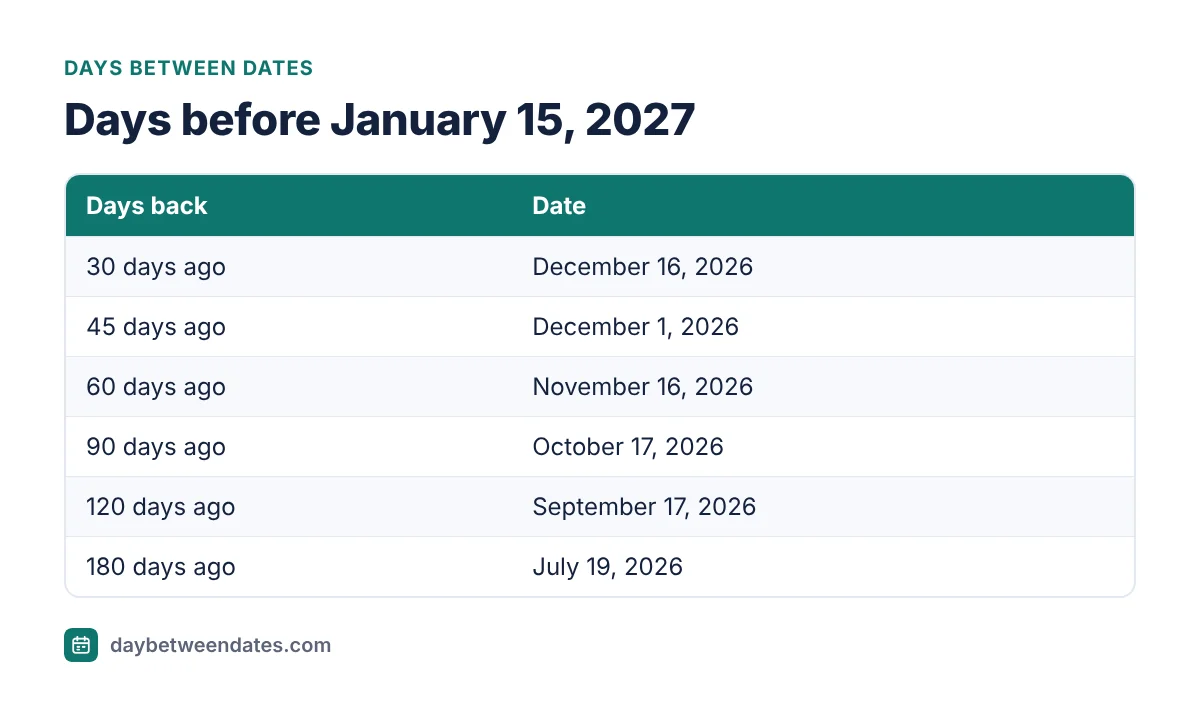
Use our days between dates calculator with today's date as the end date, or count backward on a calendar. If today is January 15, 2027, then 90 days ago was October 17, 2026.
How to count backward by hand
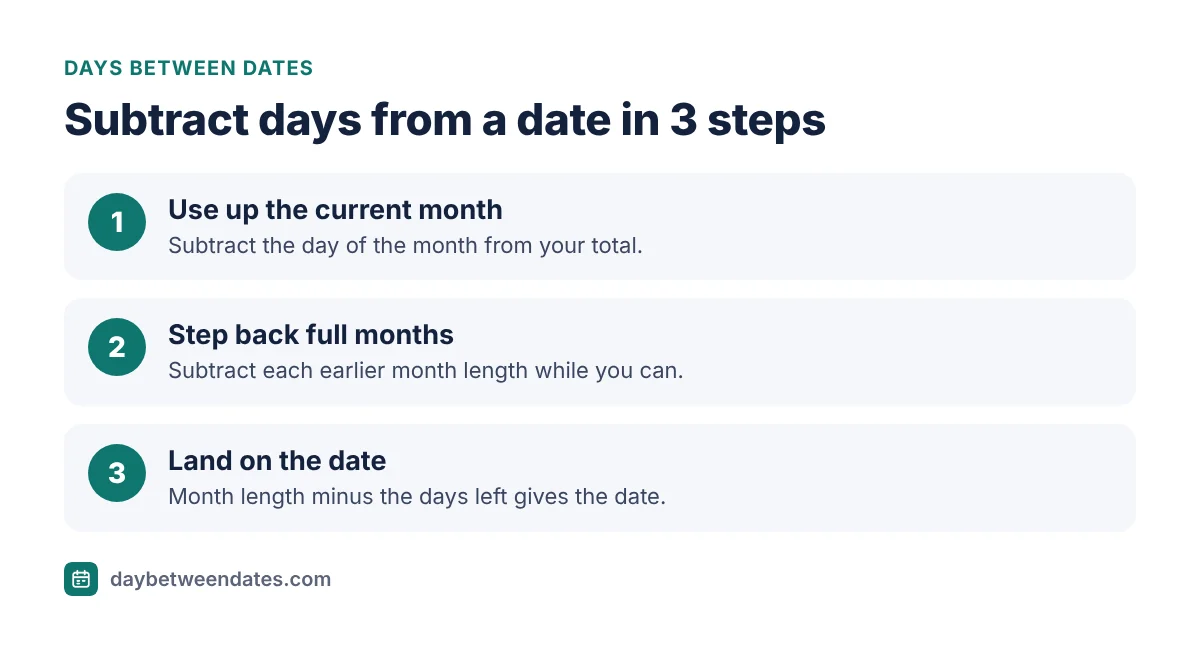
Example: 90 days before January 15, 2027.
- Go back 15 days to December 31, 2026. Days left: 90 − 15 = 75.
- Step back through December (31): 75 − 31 = 44, landing on November 30. Then November (30): 44 − 30 = 14, landing on October 31.
- Go back 14 more days from October 31: October 17, 2026.
Example: 30 days before March 10, 2026.
- Go back 10 days to February 28. Days left: 30 − 10 = 20.
- February 2026 has 28 days, and 20 is less than 28, so stay in February.
- 28 − 20 = 8: February 8, 2026.
Ninety days vs three months
Three months before January 15 is October 15, while 90 days before is October 17. The difference comes from month lengths. When a rule says "90 days", count days. When it says "3 months", go back to the same day number three months earlier.
Looking back in common situations
- Credit and banking: many lenders review the last 90 days of statements.
- Insurance: pre existing condition rules often look back 90 days to 2 years.
- Travel: the Schengen rule allows 90 days in any rolling 180 day period, so travelers count back 180 days from each day of their stay.
- Returns and warranties: check whether the purchase date falls inside the window.
- Health: symptom histories and test intervals are often counted in days.
Spreadsheet formulas
| What you want | Excel or Google Sheets |
|---|---|
| 90 days before a date | =A2-90 |
| 90 days ago from today | =TODAY()-90 |
| 3 months before a date | =EDATE(A2, -3) |
| 10 business days before | =WORKDAY(A2, -10) |
| Days since a past date | =TODAY()-A2 |
Check whether a date falls inside a window
To see if a date is within the last 90 days, find the number of days between that date and today. If the result is 90 or less, it is inside the window. Whether day 90 itself counts depends on the rule, so check the wording. Our guide to inclusive and exclusive counting explains the difference.
Count back any number of days
Counting backward across month boundaries is where most errors happen, especially around February. Use the free days between dates calculator to find the exact date for 30, 60, 90 or any number of days ago. To count forward instead, see what date is 90 days from today, and for every counting method in one place, read the complete guide on how to calculate days between two dates.
More guides in this series
Free calculator
Run your own numbers now
Count the days between any two dates in seconds with the free calculator. No sign up, and nothing leaves your browser.