How Many Weeks Between Two Dates?
How to calculate the number of weeks between two dates, convert days to weeks and days, count calendar weeks and use week numbers, with examples and formulas.

Updated 2 min read

In this guide
Pregnancy is tracked in weeks, so are training plans, school terms and project sprints. To find the weeks between two dates, you first find the days, then divide by seven. This short guide shows how, with examples and spreadsheet formulas.
Step 1: Find the number of days
Subtract the start date from the end date, or use our days between dates calculator. If you are counting by hand, the complete guide to days between two dates shows the month by month method.
Step 2: Divide by 7
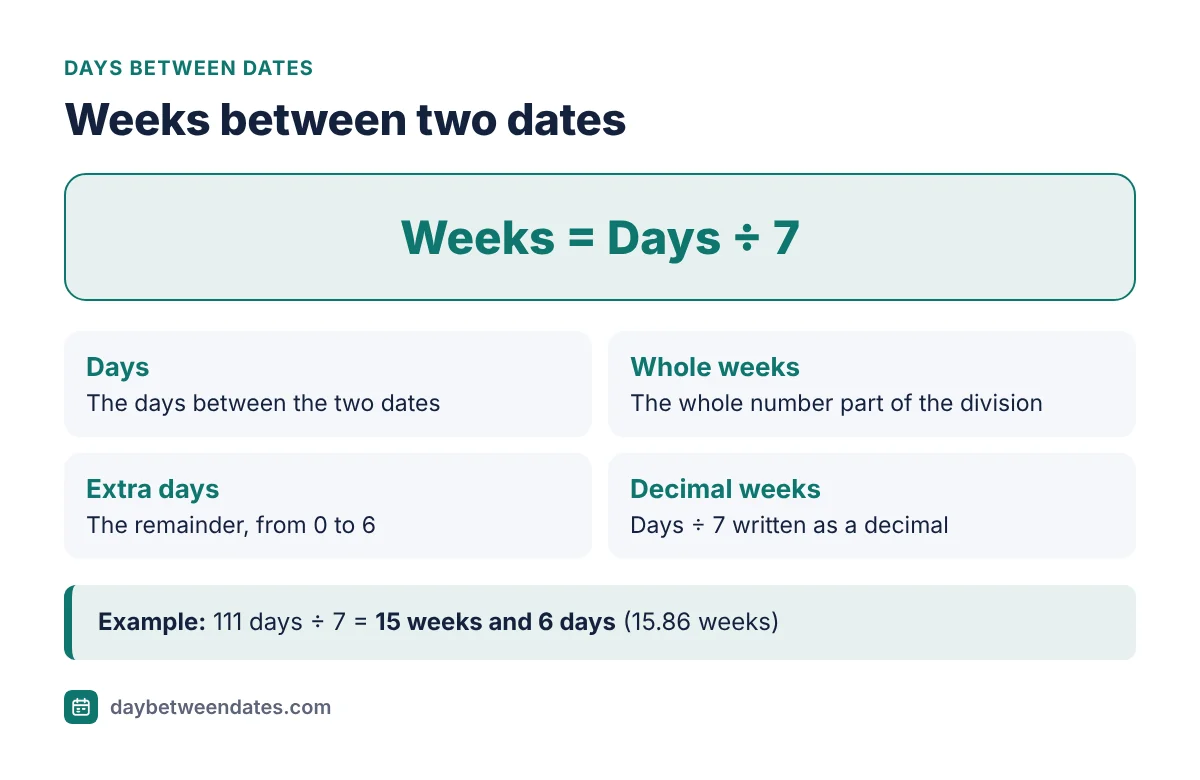
Example: March 15 to July 4, 2026.
- Days between: 111
- 111 ÷ 7 = 15 remainder 6
- Answer: 15 weeks and 6 days, or 15.86 weeks as a decimal
Example: September 7 to December 25, 2026.
- Days between: 109
- 109 ÷ 7 = 15 remainder 4
- Answer: 15 weeks and 4 days
If the two dates fall on the same day of the week, the answer is always a whole number of weeks.
Whole weeks vs calendar weeks
There are two ways people talk about weeks:
- Elapsed weeks are blocks of 7 days, as above. Monday to the next Monday is 1 week.
- Calendar weeks are the weeks on a calendar, usually Monday to Sunday or Sunday to Saturday. A period from a Friday to the following Tuesday touches 2 calendar weeks but lasts only 4 days.
Payroll, school timetables and work schedules often count calendar weeks, while pregnancy and countdowns count elapsed weeks.
Week numbers
Many businesses use ISO week numbers, where week 1 is the week containing the first Thursday of the year and weeks start on Monday. To find the weeks between two dates in the same year, you can subtract their week numbers, but this only counts calendar week boundaries, not exact 7 day blocks.
In Excel and Google Sheets
| What you want | Formula |
|---|---|
| Decimal weeks | =(B2-A2)/7 |
| Whole weeks | =INT((B2-A2)/7) |
| Leftover days | =MOD(B2-A2, 7) |
| Weeks and days as text | =INT((B2-A2)/7)&" weeks "&MOD(B2-A2,7)&" days" |
| ISO week number | =ISOWEEKNUM(A2) |
Weeks in a year and month
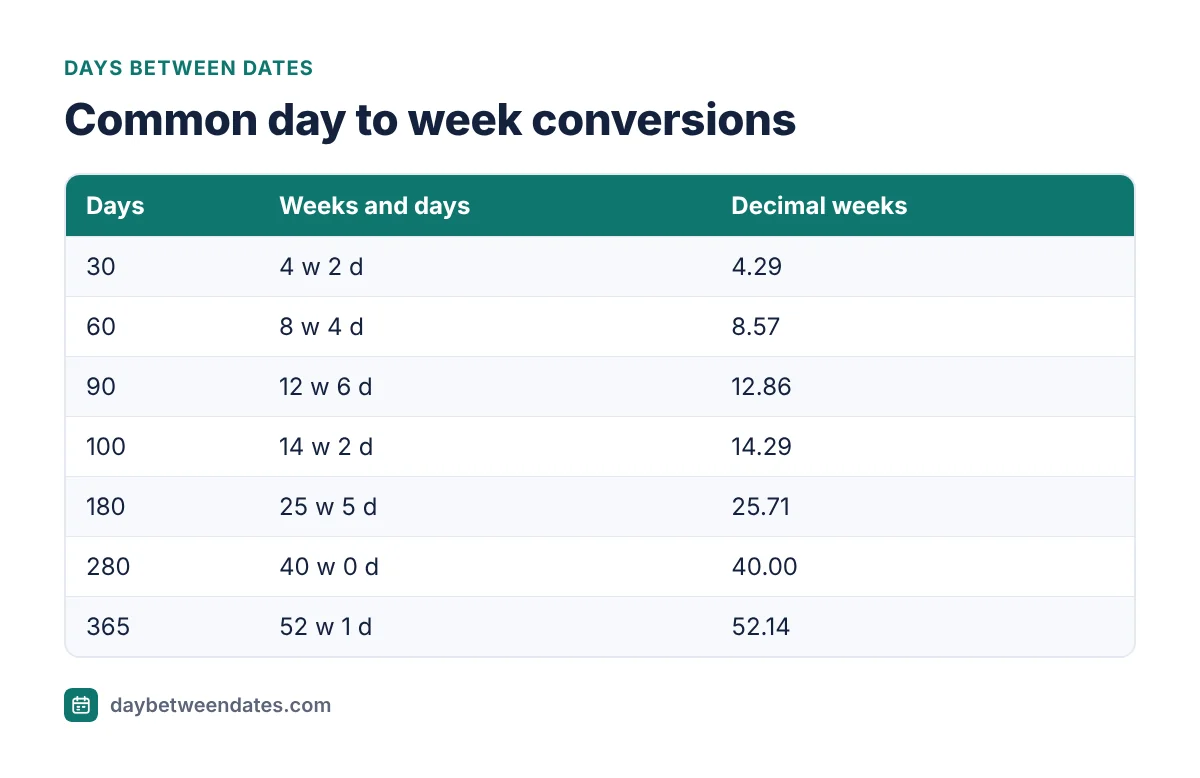
- A normal year has 52 weeks and 1 day. A leap year has 52 weeks and 2 days.
- A month has about 4.35 weeks on average. Only February in a normal year is exactly 4 weeks.
- A quarter has about 13 weeks.
Count weeks without the math
Dividing by seven is easy, but finding the right number of days first is where mistakes creep in. The free days between dates calculator gives you the days, the weeks and days and the decimal weeks together, so you can plan pregnancies, training blocks or project sprints with confidence. For converting the result into months as well, see years, months and days between two dates.
More guides in this series
- How to Calculate Days Between Two Dates: The Complete Guide
- What Date Is 30, 60 or 90 Days From Today?
- What Was 90 Days Ago? Counting Days Backward
- Should You Count the Start and End Date? Inclusive vs Exclusive Days
Free calculator
Run your own numbers now
Count the days between any two dates in seconds with the free calculator. No sign up, and nothing leaves your browser.